


Mathway: Scan & Solve Problems
4.136.39K Reviews
App Specs
- Version
- 6.12.0
- Updated On
- License
- Free
- Downloads
- 50,000,000+
- Developer
- Chegg, Inc.
- Categories
- Education
- Platform
- Android, iOS
Screenshots
 Analysis by AppCompare
If you're like me and math isn't exactly your best friend, then you'll definitely want to check out Mathway: Scan & Solve Problems. This app is like having a math genius in your pocket, ready to help you tackle everything from basic arithmetic to advanced calculus. Let me walk you through my experience using this lifesaver of an app.
A calculator that can also teach
The appeal of Mathway is that it sits between a standard calculator and a full tutoring session. When I get stuck on a homework question, I can enter it rather than spend time searching for a matching example online. That direct route is useful when the obstacle is a particular equation, not a whole chapter. Chegg, Inc. develops the education app, and its focus is clearly on getting a math problem into the app and returning a useful result.
That convenience works best when I treat the result as a worked example, not as proof that I understand the topic. I read the solution, then try a similar question without looking. If I cannot explain why a step is valid, I have found the part I need to review. Used this way, Mathway can help me turn a moment of frustration into a more targeted study session instead of simply supplying an answer to copy.
First Impressions
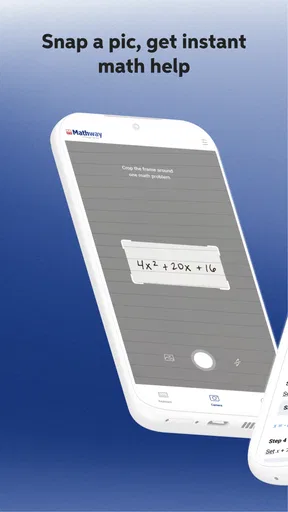
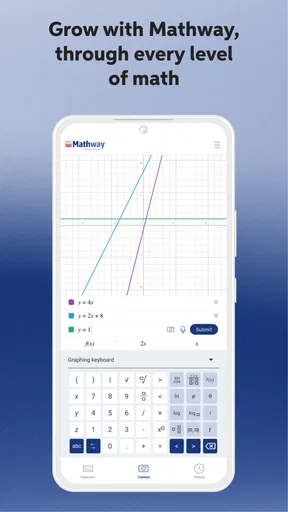
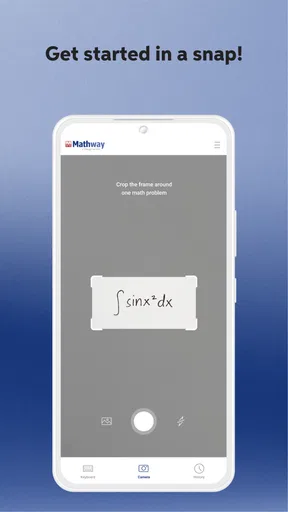
Right off the bat, Mathway gives off a user-friendly vibe. The interface is clean and intuitive, which is perfect for those of us who tend to get overwhelmed by complicated tech. The main screen presents you with a simple input field where you can type in your math problems. But here's the kicker—you can also use your camera to scan a problem directly from your textbook or notes. Talk about convenience!
How It Works
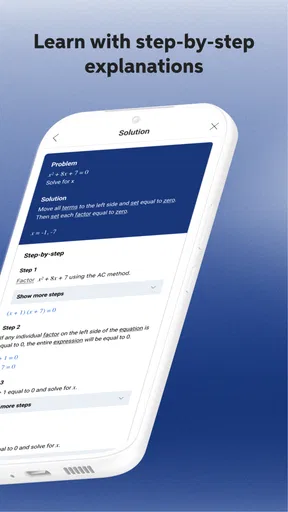
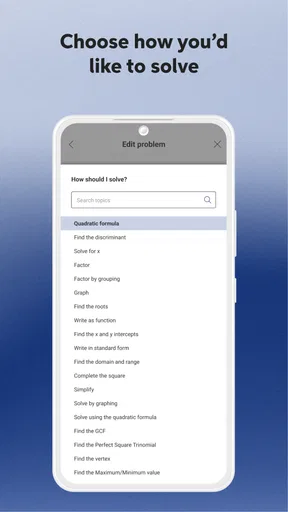
The app's functionality is straightforward. You enter or scan a math problem, and Mathway instantly provides you with a step-by-step solution. It's not just about giving you the answer, though; it actually walks you through the process, which is super helpful if you're trying to learn and not just cheat your way through homework.
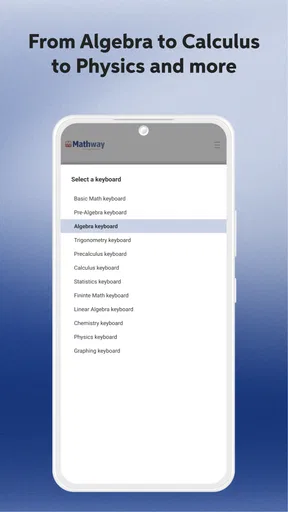
I tested it with a variety of problems, ranging from simple algebraic equations to more complex calculus questions, and it handled them all with ease. The app supports a wide range of topics, including algebra, trigonometry, statistics, and more. It's like having an all-in-one math tutor!
Getting more from a solved problem
A practical way to use a worked solution is to pause before reading the next step and predict what should happen. For an equation, I can check whether the same operation is being applied to both sides; for a function, I can ask what the transformation is doing. This small habit makes the app more useful for learning because it turns a displayed method into an active check of my own reasoning.
Worth Reading Before You Choose

Baby Panda World Brings Quick Play to Modern Phones, but Its Game Library Feels Busy

ESPN’s Live Game View Makes Following Close Games Easier

QuizzLand Review: A Good Fit for Short Trivia Breaks, Not Every Player

Basketball Stars: Multiplayer Is Fast, but Can It Recover When Matches Go Wrong?

WEBTOON Turns Phone Updates Into a Better Reading Routine

Link to Windows Runs on Shared Habits, Not Social Feeds
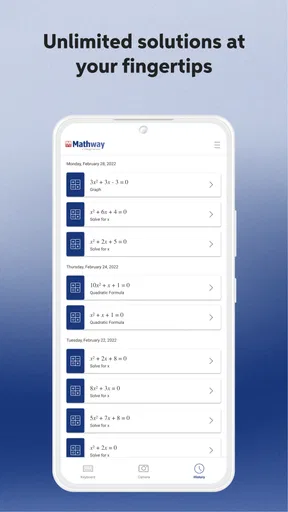
History can also support a compact review routine. When I revisit past problems, I can group the ones I missed by the kind of mistake rather than just reread every answer: perhaps I mishandled signs, chose an unsuitable formula, or lost track of a simplification. That gives me a better idea of what to practise next. I would still write out fresh examples myself, since recognizing a solution is easier than producing one independently.
Scanning is most helpful when the printed expression is clear and laid out plainly. Before trusting a result, I check that the symbols, exponents, and signs in the captured problem match the page. A small reading error can produce a perfectly coherent answer to the wrong question. If a scan looks uncertain, typing the expression is the safer route; it takes longer, but it lets me control exactly what the app is solving.
Features I Love
One feature that stands out is the detailed explanations. When Mathway solves a problem, it breaks down the solution into manageable steps. This is crucial for understanding where you might have gone wrong and how to fix it. Plus, if you're someone who learns by doing, this feature is invaluable.
The app also has a handy history function, allowing you to go back and review past problems and solutions. This is great for revisiting tricky questions or studying for an upcoming exam.
Where it fits in a study routine
Picture working through a set of algebra questions at the kitchen table before class. I get stuck on one rearrangement, scan it, and use the solution to identify the operation I missed. Then I cover the answer and finish the next question on my own. That is a better use than scanning an entire worksheet and copying results: it keeps the app in the role of a spot-checker while leaving the actual practice to me.
Compared with a basic calculator, Mathway is more useful when I need help setting up or following a solution, rather than only checking arithmetic. Compared with a web search, it can be more direct for a specific expression because I do not have to find a similar problem and decide whether its method applies. A teacher, textbook, or lesson is still the better choice when I need a concept explained from the ground up or want feedback on my own reasoning. The app is a focused problem-solving aid, not a replacement for those broader forms of teaching.
It is especially appealing to students who want quick help checking work, reviewing a familiar method, or getting unstuck while studying independently. It can also suit an adult brushing up on maths who wants to test a particular exercise without turning the session into a search through tutorials. I would not make it my main resource if I needed a carefully paced course, detailed feedback on written work, or practice designed around a teacher's specific syllabus.
Room for Improvement
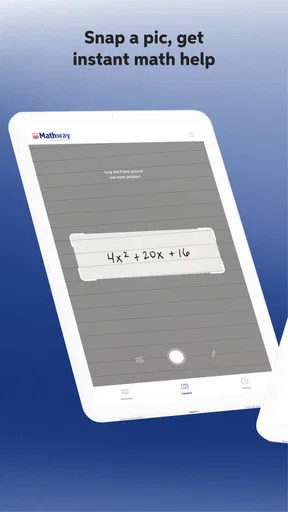
While Mathway is a fantastic tool, it's not without its quirks. Sometimes, the camera scanning feature can be a bit finicky, especially in low-light conditions. It occasionally struggles to recognize handwritten equations, so you might need to double-check that it captured everything correctly.
Also, while the basic functionalities are free, the app does have a premium version that unlocks more detailed explanations and additional features. Depending on your needs, you might find the free version sufficient, but the premium might be worth it if you're tackling more complex topics.
Mathway is free to download, but in-app purchases range from $0.99 to $149.99 per item, so I would check what an offered purchase includes before paying. The free experience may be enough for occasional answer checks; someone relying on fuller explanations for regular study may find a paid option more relevant. I would not subscribe or buy simply because a question is difficult—first I would decide whether the extra explanation is something I will use often and whether it helps me learn rather than just finish a task.
Another limitation is that a correct solution is not the same as feedback on my approach. If I enter only the final expression, I may get a result without learning where my own working went off track. For that, I need to compare the app's method with my written steps and identify the first point where they diverge. When the issue is a word problem's interpretation or a broad conceptual gap, asking a teacher or consulting a lesson can be more valuable than entering the expression alone.
Who should give it a try
The app is rated for Everyone and has an average rating of 4.1 from around 415,000 ratings, with over 50 million installs. Those figures suggest it has reached a large audience, though popularity does not tell me whether its approach suits every learner. It was released on February 4, 2012, and version 6.8.0 lists Android 8.0 as the minimum operating system. If you are choosing a download, check that your device meets that requirement.
My recommendation is strongest for learners who already have some class notes or a textbook to learn from and want a fast way to inspect a particular maths problem. I would skip it as a sole study method if I were trying to build foundations from scratch, or if I knew I would be tempted to copy answers without practising. In those situations, a teacher-led explanation or structured course gives more context; Mathway is at its best as a companion to that work.
Final Thoughts
Overall, Mathway: Scan & Solve Problems is a powerful tool for anyone needing a bit of extra help with math. It's like having a tutor at your fingertips, ready to assist you at any time. Whether you're a student struggling with homework or just someone who wants to brush up on their math skills, this app is definitely worth a download.
With its user-friendly interface and comprehensive solutions, Mathway has made solving math problems less of a headache and more of a learning opportunity. Give it a try, and you might just find yourself looking forward to math class!
My honest verdict is that the app earns a place in a student's toolkit when used deliberately: enter a problem, inspect the reasoning, verify the input, and then try a related question without help. That routine makes its quick access and saved history genuinely useful. If what you need is a full lesson, personal feedback, or a structured path through a subject, choose those resources first and keep Mathway for the moments when a specific problem is holding you up.
Pros
- Instant solutions to math problems.
- Supports a wide range of math topics.
- User-friendly interface.
- Step-by-step explanations available.
- Offline access for premium users.
Cons
- Requires internet for full functionality.
- Some features locked behind a paywall.
- Occasional ads in free version.
- Limited support for word problems.
- No handwriting recognition available.
FAQs for Mathway: Scan & Solve Problems
What is Mathway: Scan & Solve Problems?
Mathway is a versatile app designed to help users solve a wide range of math problems. It covers topics from basic algebra to complex calculus and statistics. Users can either type in their problems or scan them using the app’s camera feature to receive step-by-step solutions.
How does the camera scanning feature work in Mathway?
The camera scanning feature in Mathway allows users to take photos of their handwritten or printed math problems. The app then analyzes the image, identifies the problem, and provides an instant solution along with detailed steps. This feature is particularly useful for students who prefer written work.
Is Mathway suitable for all levels of math?
Yes, Mathway caters to a wide array of mathematical levels, making it suitable for both beginners and advanced users. It covers topics ranging from basic arithmetic to advanced calculus and statistics, making it a helpful tool for students and professionals alike.
Does Mathway require an internet connection to function?
While Mathway can perform basic calculations offline, an internet connection is required for accessing more advanced solutions and features. This connectivity allows the app to process complex problems and provide detailed step-by-step solutions through its extensive online database.
Is Mathway free to use, or does it require a subscription?
Mathway offers a free version that provides basic problem-solving capabilities. However, for detailed step-by-step explanations and advanced features, users need to subscribe to a premium plan. The premium version is ideal for those who need comprehensive guidance on solving complex math problems.


